
A Topic can be selected for a premises and is based on the equipment or fire compliance for the premises. To check your existing topics or tick a new one follow the steps below:
- Select the premises from the Tio homepage
- From the left menu select Manage
- Scroll down the right hand side of the screen and tick any topic relevant to your premises
- Continue to scroll until you see the Save button at the bottom of the screen
- Once saved new recurrent tasks will be created for the Building Occupier and Service Provider to complete
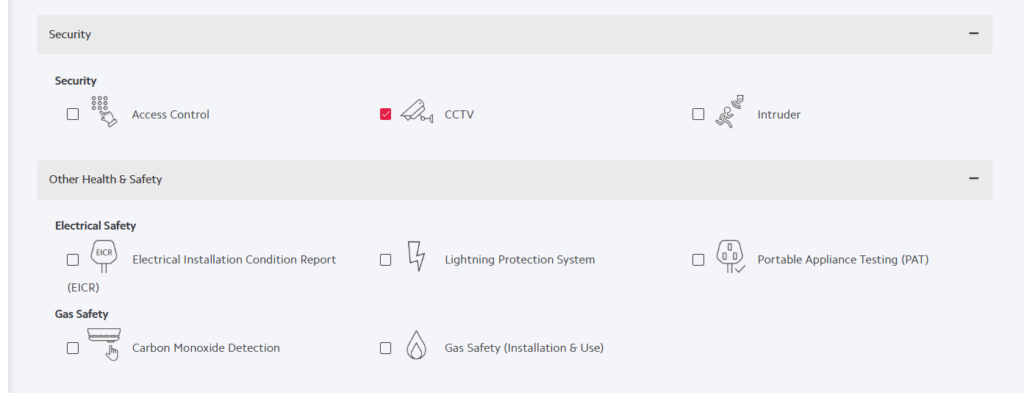
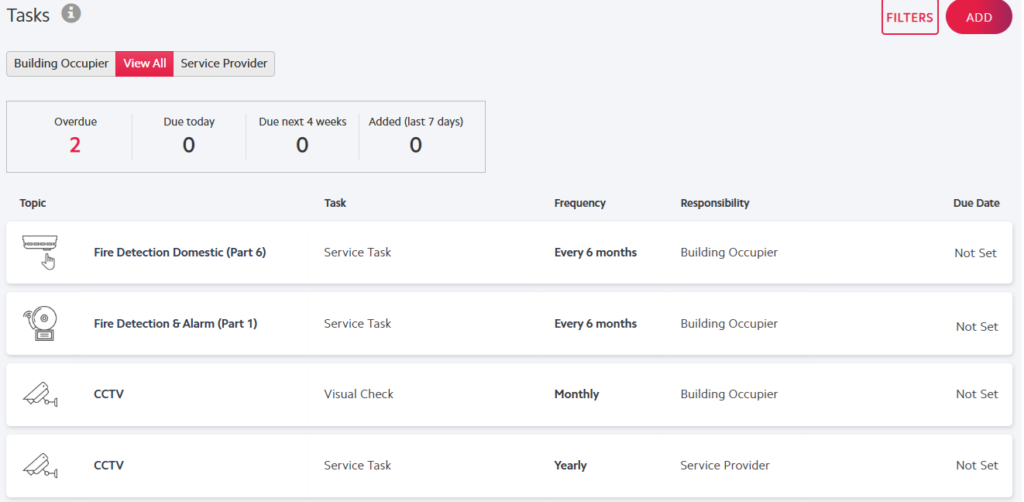
In the images above CCTV has been installed and ticked for the premises and there are now 2 CCTV tasks that can be set up and fulfilled. For more information on fulfilling a task click here